Highlight Any Word
Instant definitions while you browse
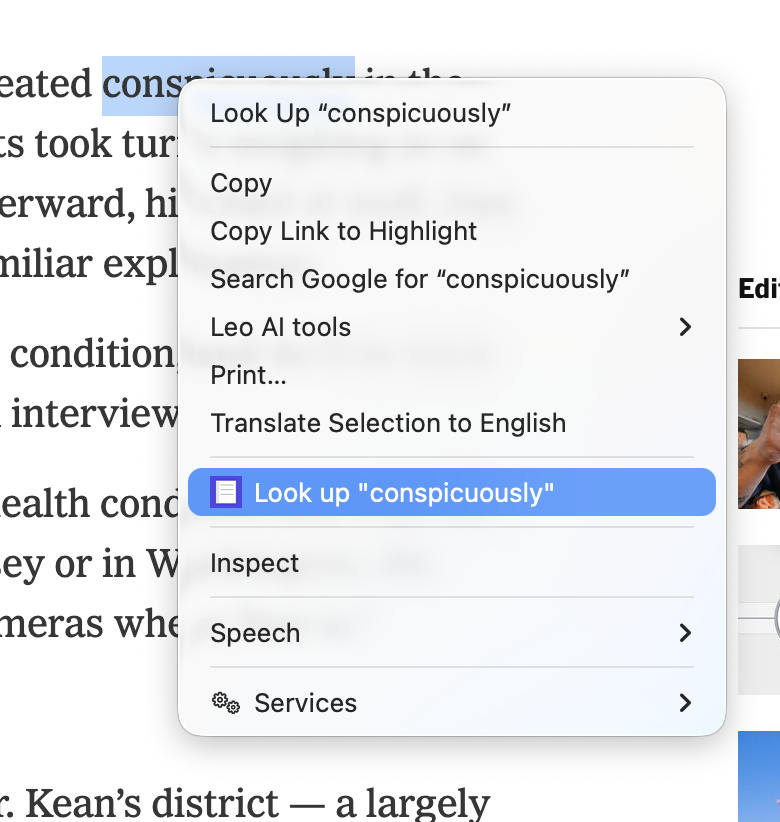
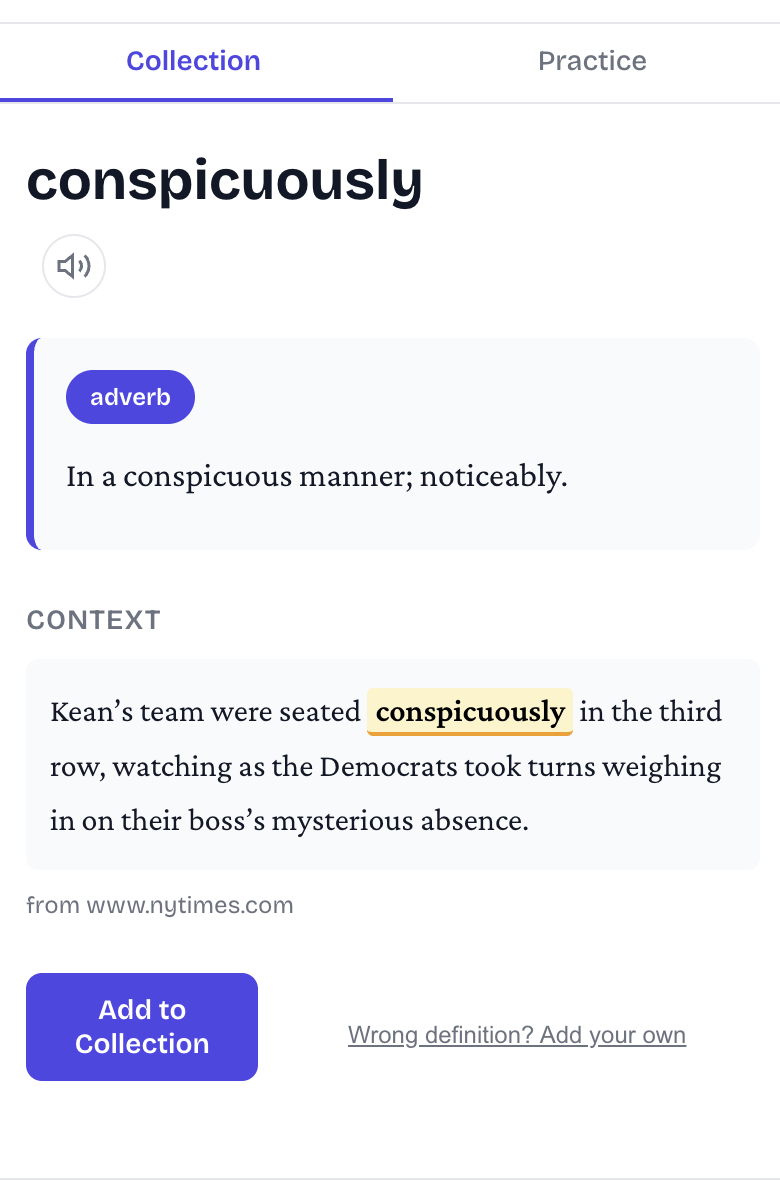
Get instant definitions while you read. Save words and build lasting vocabulary with spaced repetition.
Chrome extension is available on desktop today.
Instant definitions while you browse
From the first click to long-term memory
Highlight a word, get the definition. Right in Chrome's side panel — no tab-switching needed.
Every word is saved with the sentence where you found it. You'll always remember where you learned it.
A smart algorithm quizzes you right before you'd forget. Less studying, better retention.
Hear every word spoken aloud. When you know how it sounds, you're far more likely to use it.
Run sessions in the side panel or go full-screen in a dedicated tab. Choose 2 to 25 minutes — whatever fits your schedule.
Don't just recognize words — learn to write them. Type out each word letter by letter, with hints when you get stuck.
Sign in with Google. Your words, progress, and streaks sync between Chrome and iOS automatically.
Pair the pocket-sized Bluetooth controller. Flip cards, rate answers, and navigate practice entirely hands-free. Works with any standard gamepad.
Frequency matters more than duration. A few minutes each day builds stronger recall than occasional long sessions.
Hit a new word? Highlight it. Definition and sentence are saved automatically.
Open the side panel on a break. Review words you're about to forget. Done in minutes.
Words move from "seen once" to "permanent memory." You'll start using them without thinking.
Built on over a century of cognitive science — from Ebbinghaus's forgetting curve to modern research confirming that spaced practice produces stronger, longer-lasting retention.
Collect words on your laptop. Practice on your phone. Everything syncs automatically.
